Choosing the right KCAM Laser Software supplier can affect more than the purchase price. It can shape setup time, cutting consistency, and the support available when a job stalls. This guide introduces ten China-based suppliers for buyers comparing software, equipment, and service options. It is a starting point, not a claim that one company suits every workshop.
A useful comparison looks beyond product descriptions. Ask which laser controllers and file formats are supported, whether the software handles familiar design files, and how updates are delivered. Check the workflow with a real sample, such as a small DXF pattern with fine corners and repeated cuts. Test the workflow. A short demonstration can reveal how easily operators adjust power, speed, and layer settings. Details matter.
Supplier information should also be checked directly. Confirm the exact software version, licensing terms, training options, and response times before placing an order. Ask for written confirmation of compatibility with your machine and controller. A polished demo is helpful, but it may not reflect daily production. No single choice fits every shop. Some buyers may value local-language support, while others need integration with existing equipment. This comparison aims to help buyers ask sharper questions and weigh practical evidence. Still, supplier claims can change, so verify current specifications and service arrangements before deciding.
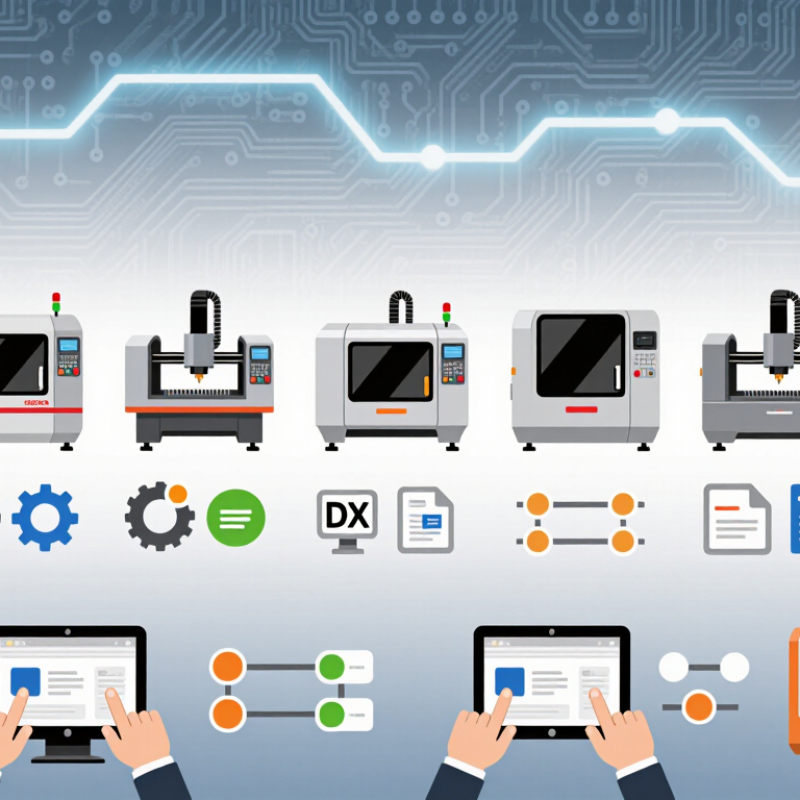
KCAM laser software typically connects three jobs: drawing preparation, toolpath planning, and machine operation. CAD tools create or edit profiles, such as a 2 mm steel bracket with slots and mounting holes. CAM functions convert those shapes into cutting paths, set lead-ins, and assign parameters such as speed and power. The exact division varies by system. Some packages combine every stage; others rely on separate design files or machine interfaces.
Nesting arranges multiple parts on a sheet to reduce scrap while respecting material direction, edge margins, and spacing between cuts. A useful preview shows the layout before the sheet is loaded. Machine control then sends the job and may display status, alarms, or cut progress.
These features are not interchangeable: a strong drawing editor does not guarantee reliable motion control. That distinction matters.
Buyers comparing suppliers in China should check supported file formats, controller compatibility, offline simulation, and how settings are adjusted for different materials. Ask to see a real sample workflow, from imported drawing to completed cut. Software descriptions can sound precise; shop-floor results are less tidy. A small test file may reveal awkward menus or missing functions before a production order.
When comparing KCAM laser software suppliers in China, verify wavelength support before comparing interface features. A 1,064 nm fiber laser and a 10.6 μm CO₂ laser operate at wavelengths nearly ten times apart. These values appear in industrial laser specifications; NIST metrology guidance also emphasizes reporting wavelength with suitable measurement units and uncertainty. Software must match the source, controller, and marking head—not merely display both laser types in a menu. Ask suppliers to demonstrate each setup using your actual file format and a test pattern.
A small caveat: wavelength alone does not prove compatibility. Confirm whether the software exposes the required power, pulse, speed, and focus parameters for each source. Check supported operating systems, controller communication, and import formats. Request a written compatibility matrix, then test a fine line, a small text sample, and a filled shape. If the vendor cannot identify the controller or parameter limits, treat that as an unresolved technical risk.
Tips: Ask for a live demo on both 1,064 nm fiber and 10.6 μm CO₂ systems. Save screenshots of settings and the test result. Standards such as ISO 11146 provide recognized methods for laser beam characterization, but software compatibility still needs equipment-specific verification. Don’t assume.
Buyers comparing China’s ten leading KCAM laser software suppliers should look beyond feature lists. Compare nesting efficiency, kerf compensation, lead-in controls, file compatibility, and post-processor options. Ask for a live demonstration using a real production drawing, not only a prepared sample. Small details matter: a misplaced lead-in can leave a visible mark on a thin sheet. No package is perfect; some jobs still need manual cleanup.
Support deserves equal attention. The International Federation of Robotics reported 541,302 industrial robots installed worldwide in 2023 in its World Robotics 2024 report. This is broader factory-automation context, not a KCAM software sales figure, but it highlights why dependable integration and training matter. Ask each supplier about machine compatibility checks, onboarding hours, update policies, and typical response times. Request a sample post-processor test and a clear escalation route. A polished interface means little if a shop cannot get help during a machine changeover.
Tips: Before choosing, send suppliers the same drawing and ask them to show the toolpath, estimated cutting time, and material assumptions. Check whether remote support is available in your working hours. Keep one awkward file in the trial; it may reveal more than a perfect demo.
Product & Support Profile Framework — a typical laser-CAM workflow to use when comparing supplier offerings.
The bars show the typical sequence of software workflow stages, not supplier ratings or verified comparisons. Actual workflows and available features vary by product and machine configuration.
When evaluating KCAM laser software suppliers in China, treat IEC 60825-1 and ISO 11553-1 as verification references, not marketing badges. IEC 60825-1 addresses laser-product classification, protective measures, labels, and user information. ISO 11553-1 focuses on safety for laser-processing machinery, including guards and risk-reduction measures. The exact obligations depend on the machine design, laser source, and intended use.
Ask suppliers to show how software handles emission commands, access levels, fault conditions, and interlock signals. On a test bench, trigger a guard switch and confirm that the beam-enable command drops as designed. No guesswork here. Check whether alarms remain visible after a restart and whether event records include timestamps and user actions. Software can support safeguards, but it cannot replace a physical risk assessment or validated hardware. Small detail, big consequence.
Request conformity documents, test methods, and version-specific configuration notes behind each safety claim. Compare them with the installed machine, not just a sales demonstration. Confirm who owns updates and how changes are reviewed before production resumes. A supplier may provide useful evidence, yet the buyer should have a qualified safety specialist check the scope and applicable local requirements. This part can feel tedious. It is also where assumptions surface: I would not accept “interlock supported” without seeing its tested behavior.
When comparing laser software suppliers in China, ask for a written file-format matrix, not a broad compatibility claim. Check whether the system imports your actual DXF and SVG files, preserves layers, and handles font conversion without shifting cut paths. Request a sample job using a drawing from your production floor. Small details matter. A missing curve or altered scale can waste material before anyone notices. Also confirm which machine controllers and post-processors are supported, and whether updates add formats or require extra fees.
Licensing can be node-locked, transferable, or shared across workstations; the difference affects shift changes and equipment replacement. Ask about offline use, renewal dates, and what happens if a license server is unavailable. Training should include hands-on tasks, such as nesting a sheet and adjusting lead-ins, with materials your operators can revisit. Service promises need numbers: support hours, first-response targets, escalation steps, and coverage during local holidays. Separate response time from repair time. A fast acknowledgment does not restore production. Test it live. Supplier comparisons can look tidy in a spreadsheet, yet installation conditions vary; record open questions and verify key claims in a trial.
Buyer comparison framework: supplier-specific capabilities and contract terms vary by product, version, region, and agreement. The entries below describe practical checks and common industry considerations; they are not verified rankings or claims about individual suppliers.
| Buyer Metric | File Formats | Licensing | Training | Service SLAs |
|---|---|---|---|---|
| 1. Import compatibility | Check required vector and drawing formats, such as DXF, SVG, AI, and PLT. Support can differ by software version and import settings. | Confirm whether format import is included in the quoted edition or requires an additional module. | Ask for a practical import-and-preflight walkthrough using representative production files. | Confirm how quickly support responds to file-import problems and whether the target response time is contractual. |
| 2. Native project files | Ask which editable project format is used, whether it is version-dependent, and how projects can be exported or archived. | Check whether project editing or conversion requires an active license or a specific software edition. | Request guidance on saving, versioning, and recovering project files. | Ask whether support covers legacy project files and what information is needed to diagnose them. |
| 3. Machine and controller compatibility | Confirm the required controller, post-processor, and machine configuration; a supported drawing format alone does not ensure machine compatibility. | Verify whether machine-specific drivers or post-processors are included or separately licensed. | Request machine-specific setup instruction, preferably with a controlled test job. | Clarify escalation and response arrangements for machine-connection or output issues. |
| 4. License model | File-format access may vary by edition, so compare the exact import, export, and editing functions included. | Compare perpetual and subscription options, renewal terms, activation limits, and any maintenance fees. | Check whether onboarding is included, limited to a set period, or sold separately. | Confirm whether support remains available after subscription expiry or with a perpetual license. |
| 5. Activation and offline use | Test whether importing and processing files work in the intended network environment. | Ask about online activation, device transfers, offline authorization, and license recovery procedures. | Request administrator instructions for installation and license transfer. | Check the support process for activation failures, including service hours and escalation channels. |
| 6. Training coverage | Training should use the buyer's actual file types and cover import checks, scaling, and geometry preparation. | Confirm the number of included trainees, sessions, languages, and any travel or remote-training charges. | Compare live instruction, recorded materials, documentation, and follow-up sessions. | Ask how training questions are handled after the initial onboarding period. |
| 7. Updates and backward compatibility | Ask whether updates affect import behavior or native project compatibility, and how changes are documented. | Check whether updates are included in maintenance or subscription fees and whether older versions remain usable. | Request release notes or update training when workflows change materially. | Clarify support coverage for current and older software versions. |
| 8. Support channels and hours | Ask support to identify file-related issues separately from machine, controller, or network problems. | Check whether technical support is included, time-limited, or charged per incident. | Confirm access to a trainer or technical specialist for workflow questions. | Record support hours, time zone, available channels, and holiday coverage in the quotation or contract. |
| 9. Response and resolution targets | Agree how to submit a reproducible sample file and what file-size or confidentiality limits apply. | Check whether the license tier affects support priority or response targets. | Ask whether recurring training or workflow issues can be escalated to a specialist. | Distinguish initial response targets from resolution targets; request severity definitions and escalation steps in writing. |
| 10. Data handling and exit options | Verify that designs can be retained in accessible formats and that any proprietary project format is documented. | Review data ownership, account closure, renewal, cancellation, and license-transfer terms. | Ask for export and handover instructions so staff can maintain workflows independently. | Confirm support access during transition, data deletion practices, and any export assistance fees. |
Before purchase, request a written compatibility list for the exact software version and machine configuration, then test representative files and obtain license, training, and SLA terms in the contract.
It can prepare drawings, create toolpaths, arrange parts, and control machine jobs. Some systems combine these tasks; others need separate files or interfaces.
Confirm supported file formats, controller compatibility, simulation options, and material settings. Ask to see one real workflow, from imported drawing to finished cut.
Test the software with your actual equipment. A 1,064 nm fiber source and a 10.6 μm CO₂ source need suitable, equipment-specific settings.
No. Check power, pulse, speed, and focus controls, plus operating system and controller communication. Do not assume.
Use a fine line, small text, and filled shape. Save screenshots of the settings and results. A test sheet can expose awkward controls.
Check material direction, edge margins, spacing, and scrap reduction. Preview the layout before loading the sheet.
Use the same production drawing with each supplier. Review lead-ins, kerf compensation, estimated cutting time, and material assumptions. A misplaced lead-in can mark thin sheet.
Ask about training, machine compatibility checks, updates, response times, and escalation contacts. Confirm whether remote help fits your work hours.
No. Drawing tools and motion control are different capabilities. I might be overchecking, but I would still test an awkward file before choosing.
This guide helps buyers understand what KCAM Laser Software typically includes: CAD/CAM design tools, nesting features for efficient material use, and controls for preparing and managing machine jobs. It explains how to assess compatibility with 1,064 nm fiber lasers and 10.6 μm CO₂ lasers, including whether the software supports the intended machine configuration, materials, and workflow.
The article profiles ten China-based suppliers by software capabilities, technical support, and service offerings, without treating any single option as suitable for every buyer. It also outlines how to verify that equipment and operating procedures address relevant safety requirements, including IEC 60825-1 and ISO 11553-1. A practical comparison checklist covers file-format support, licensing terms, training, and service-level agreements, helping buyers ask consistent questions and make an informed selection.