Choosing a Commercial Signage Laser Cutter in 2026 is less about chasing the highest power rating and more about matching the machine to everyday production. A shop cutting acrylic letters, engraving laminate, and processing plywood needs a different setup from one focused on thin decorative panels. The details matter: clean edges, repeatable dimensions, a work area that fits common sheet sizes, and extraction that keeps the workspace usable.
A useful comparison should examine material compatibility, bed size, laser source, software workflow, maintenance, safety features, and service support. It should also separate advertised speed from dependable output. A fast pass means little if operators must spend extra time polishing edges or correcting inconsistent cuts. Ask for sample cuts using your own materials. Check the finish under bright shop lighting. Small flaws show there.
As [verified expert name and role] puts it, “[insert an exact, source-verified quotation about laser cutting or signage production].” That perspective should be checked against real production needs, not treated as a universal verdict. No single machine suits every shop. Budgets, workloads, and available materials vary, and specifications can hide trade-offs. Some choices may still feel uncertain after a demo. That is worth admitting.
This guide compares commercial options through practical criteria, helping buyers judge which Commercial Signage Laser Cutter best fits their workload in 2026. It focuses on measurable capabilities and questions worth asking before purchase, while noting where a model’s stated performance needs independent confirmation. The aim is not to crown a machine by its brochure. It is to help you choose equipment that performs consistently at your bench.
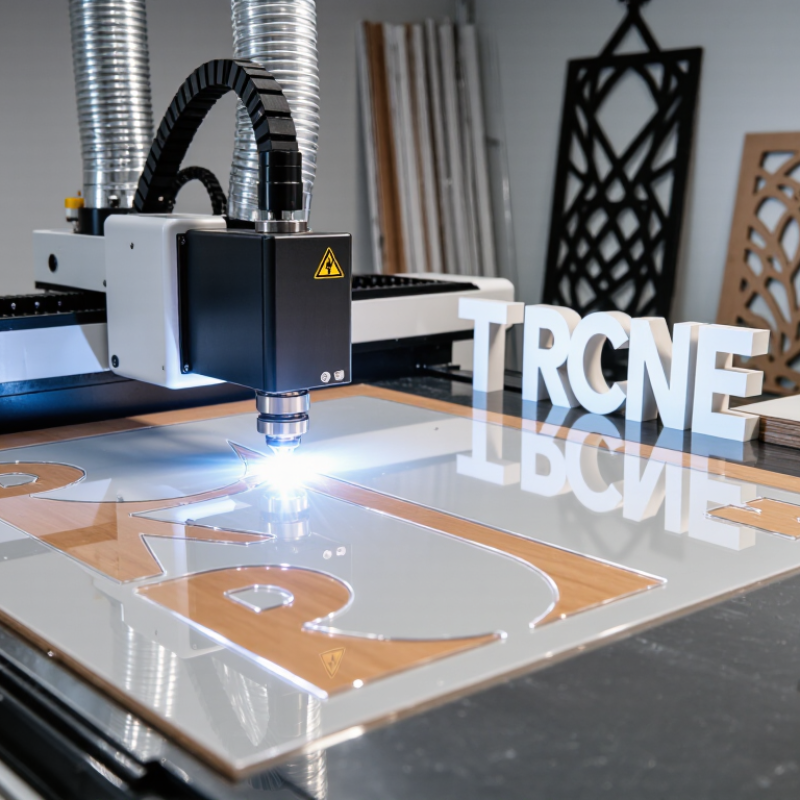
A commercial signage laser cutter turns vector artwork into controlled cutting or engraving paths. In sign shops, a CO₂ laser commonly cuts acrylic, wood, and selected sheet materials; a fiber laser is used for compatible metals. The machine follows a digital file, leaving letters, logos, and mounting holes ready for assembly. Acrylic edges can look polished, but results depend on material grade, focus, and settings. Small details matter. A narrow kerf can still change the fit of interlocking parts.
MarketsandMarkets estimated the global laser cutting machine market at USD 5.7 billion in 2023, with a projected rise to USD 9.5 billion by 2028. That figure covers many industries, not signage alone, so it signals wider equipment investment rather than guaranteed sign-shop demand. In practice, operators also manage ventilation, material checks, and test cuts; PVC, for example, should not be laser processed because its fumes are hazardous. A cutter saves some handwork, not judgment. Even a clean-looking sample may hide a poor edge or heat distortion, so shops should inspect the first piece under the same lighting used for final installation.
| Laser System | What It Does for Signage | Commonly Processed Materials | Typical Commercial Configuration | Main Advantages | Important Limitations | Best Fit |
|---|---|---|---|---|---|---|
| CO₂ laser cutter | Cuts sheet materials and engraves or scores surfaces for lettering, panels, displays, and decorative details. | Acrylic, wood, paper, cardboard, fabric, and some coated or laminated materials. Material suitability depends on its composition and the machine setup. | Enclosed or large-format flatbed, commonly with a glass or metal RF CO₂ source. Commercial power and bed size vary with material thickness and throughput needs. | Versatile for non-metal sign materials; produces polished edges on many types of laser-grade acrylic; supports cutting and engraving on one machine. | Does not directly cut bare metal in the way a metal-cutting fiber system does. Requires effective exhaust and appropriate material-safety checks; PVC and other chlorine-containing materials should not be laser processed. | Most general-purpose sign shops working mainly with acrylic, wood, and other non-metal sheet goods. |
| Fiber laser marking system | Marks, engraves, or anneals suitable metal sign components, tags, and identification plates. | Commonly used on metals such as stainless steel, aluminum, and brass; results depend on alloy, surface finish, and marking method. | Typically a galvo-based marking station, often with an enclosed work area for production and operator protection. | Fast, fine-detail marking on compatible metals; compact footprint and no ink or printed label required for the mark itself. | Standard marking systems are not general-purpose sheet cutters. Cutting metal requires a purpose-built, substantially higher-power cutting machine and suitable safety infrastructure. | Shops producing metal nameplates, serial plates, and detailed marks on metal sign hardware. |
| Fiber laser metal-cutting system | Cuts sheet metal for sign faces, letters, brackets, and structural components. | Suitable metal sheet, commonly including steel, stainless steel, and aluminum, subject to machine specifications and material properties. | Purpose-built enclosed flatbed cutting machine with assist gas, extraction, and power selected for the required metal type, thickness, and production rate. | Designed for production metal cutting and detailed profiles; appropriate for sign shops with regular metal fabrication work. | Higher equipment, facility, and operating requirements than a typical non-metal sign cutter. It is not a substitute for a CO₂ machine when cutting acrylic or wood. | Metal-focused sign manufacturers and fabricators with sufficient volume and suitable facilities. |
| UV laser marking system | Creates fine marks on selected plastics, coated surfaces, and other compatible materials used in signage and identification. | Material compatibility varies; some plastics, glass, and coated materials can be marked after testing. | Usually a galvo-based marking station, configured for the workpiece size and required enclosure. | Can produce detailed marks with limited heat impact on certain materials compared with some other marking processes. | Primarily a marking process, not a replacement for a large-format sheet cutter. Results vary significantly by material and surface treatment. | Specialist work requiring fine marks on compatible materials rather than routine cutting of sign sheets. |
Selection note: For a mixed-material sign shop, a CO₂ flatbed is often the most versatile starting point. The right choice depends on the materials, maximum sheet size and thickness, daily workload, ventilation, and whether the work requires cutting or marking. Always confirm material compatibility with the machine supplier and test the exact material before production.
It follows vector artwork to cut or engrave shapes. Letters, logos, and mounting holes can be prepared for assembly. Small details matter.
A CO₂ laser commonly handles acrylic, plywood, paper, and some coated fabrics. A fiber laser suits many metal marking jobs. It is not a universal replacement.
Check the machine’s rated power, bed size, and material compatibility. Acrylic thickness and plywood adhesive can change results. Test your own stock first.
Look at the edge, lettering corners, and underside for residue. Check consistency across the bed. A clean sample can still hide heat distortion.
Review several weeks of job tickets and note common sheet sizes. A 600-by-900-millimeter bed may suit compact signs, but slow full-sheet work.
Not fully. Loading, unloading, and setup add time. Test a typical sign panel, not only a small sample. Results still vary.
Good extraction helps limit smoke and staining on pale materials. Do not laser process PVC; its fumes are hazardous. Keep the work area visible.
No. Market estimates cover many industries, not signage alone. They suggest wider equipment investment, not guaranteed demand. Numbers can mislead.
Notes can help repeat cuts that worked on a particular material batch. Still, settings may need adjustment. I would double-check each new batch.
Choosing the best Commercial Signage Laser Cutter in 2026 starts with understanding the jobs it needs to handle. These machines cut and engrave sign components, but the right laser technology depends on the materials in your workflow. Consider whether you mainly work with wood, acrylic, coated metals, or other signage materials, and check that the machine is suited to those specific tasks.
Compare cutters by the factors that affect everyday results: cutting area, speed, precision, power, reliability, safety features, and ease of maintenance. Different machine types offer different strengths, so the best choice is not necessarily the fastest or most powerful model. Match capacity and performance to your shop’s typical order size, production volume, available space, and budget. A well-matched cutter can support consistent quality and efficient work without adding unnecessary complexity or cost.